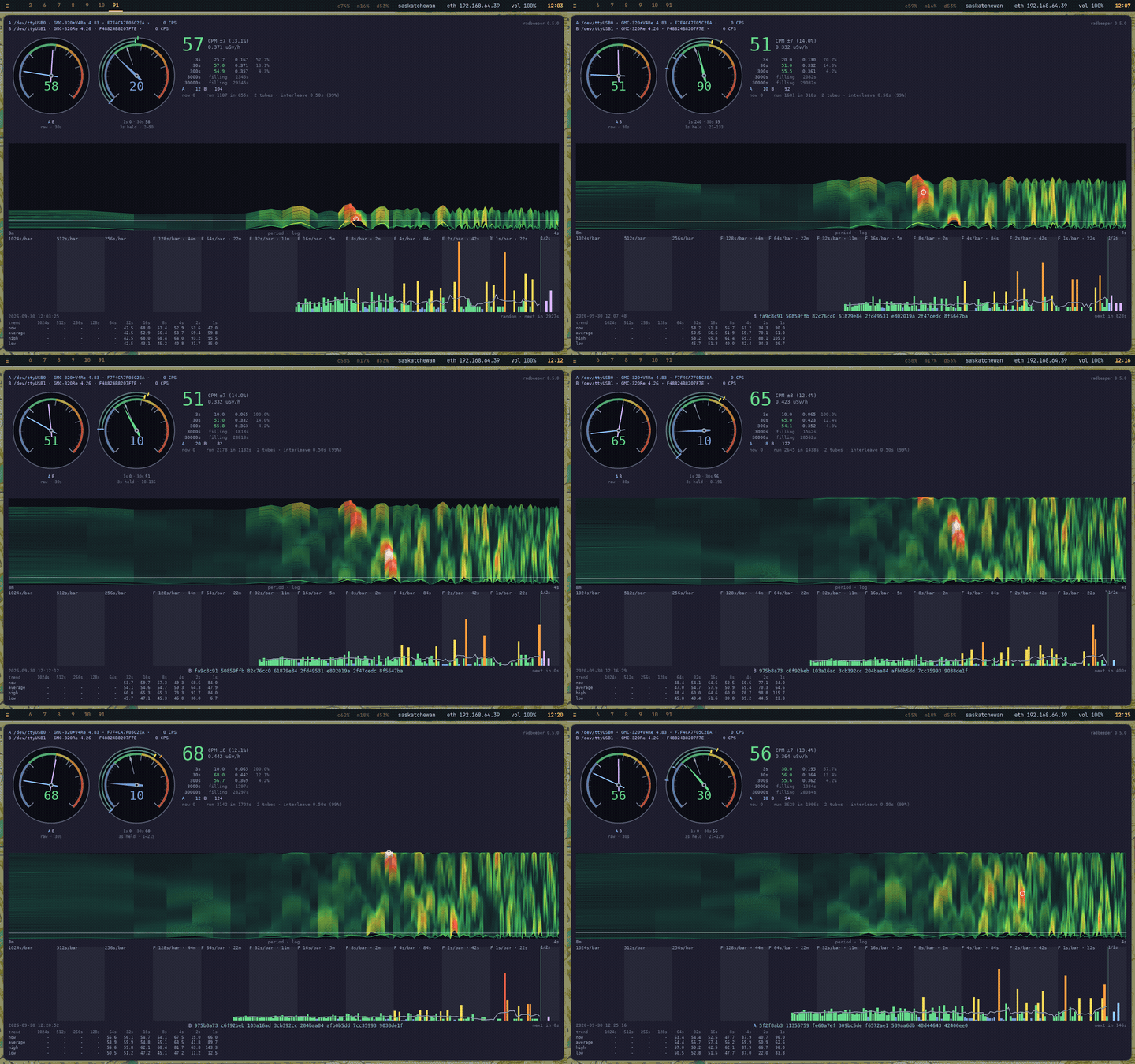
RadBeeper
See what your Geiger counter is counting, keep a record of it, and put it on a web page. For the GQ GMC-320 Plus, on Linux.
MIT · 0.6.0 · cargo install radbeeper
vonglurt.github.io/radbeeper — this page, the guides, and a live counter's report.
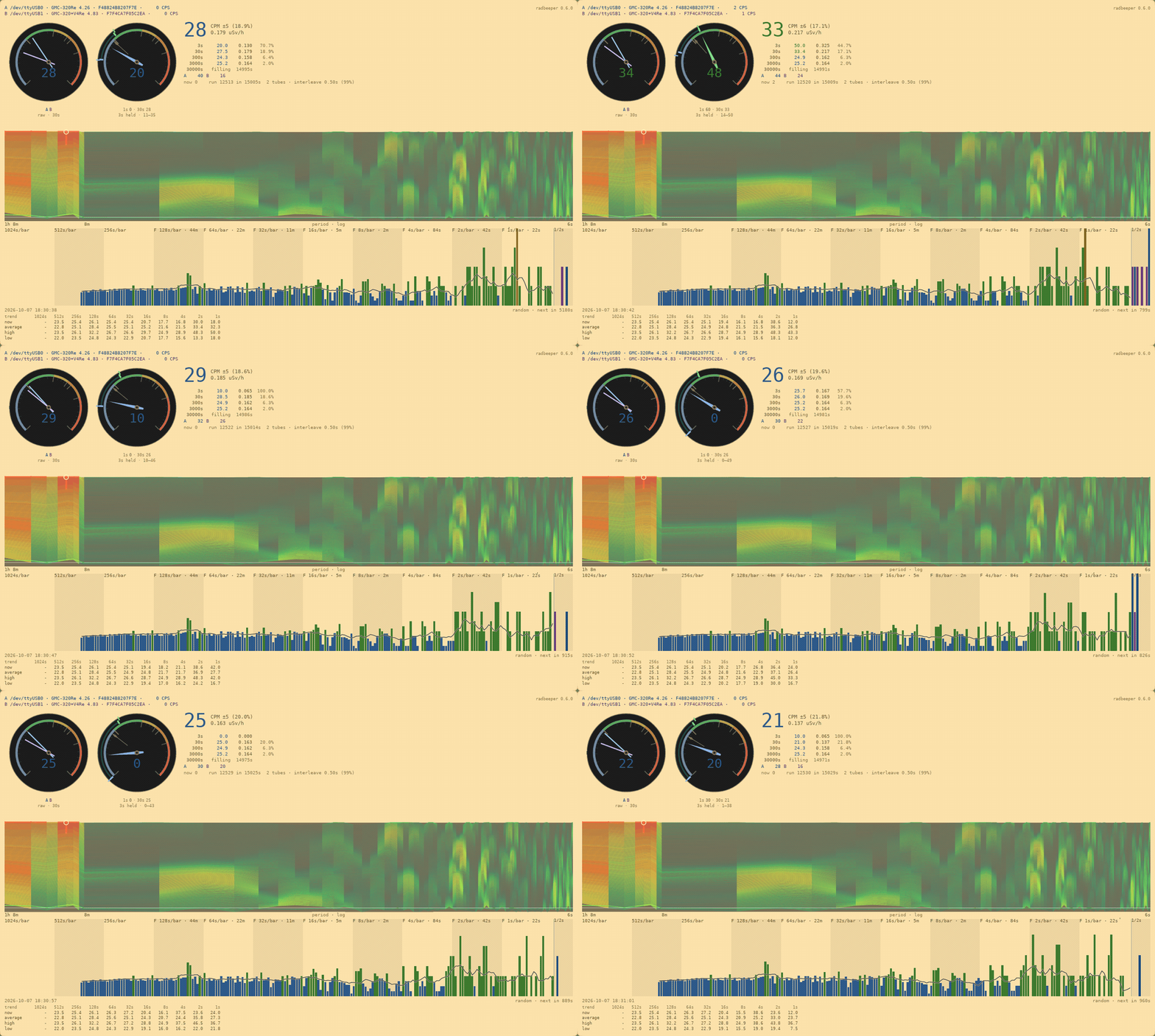
Plug the counter in, switch it on, and RadBeeper finds it. It shows what the counter is counting right now, fetches what the counter recorded while nobody was watching, keeps a log, and builds a web page from the result.
cargo install radbeeper            # or a ready-made binary from the releases page
doas adduser $USER dialout         # once, then log out and back in
radbeeper probe                    # it should name your counter
What you get
| A reading you can trust at a glance | One big number, with dials beside it, and five averages from three seconds to a working day. |
| Half a day on one line | A strip of counts that shows this second in detail and the past twelve hours in outline. |
| A check for anything that is not radiation | The drum spectrogram shows whether counts are arriving on a schedule, which decay never does. |
| A record | A row to disk every thirty seconds, whether or not a window is open. |
| No gaps | The counter's own memory is read back to fill in the time nothing was listening. |
| A web page | One self-contained page you can publish, with no scripts and nothing to host but the file. |
| Two counters at once | Plug in a second and both are read, with no setting to change. |
| Random numbers | 256-bit keys made from the timing of decay, with the evidence kept beside each one. |
Get started
With the counter plugged in and switched on:
radbeeper probe      # find it, and check it is talking
radbeeper watch      # the monitor, in a terminal -- q to quit
radbeeper-gui        # or the same counter in a window
You can open and close the monitor and the window as often as you like. The logging carries on underneath and does not miss a second.
What you need
| The counter | A GQ GMC-320 Plus. A GMC-300, 500 or 600 will be found and read too. |
| Its own USB cable | The one that came with it. A charge-only cable carries no data, and the computer will see nothing. |
| The counter switched on | It does not show up while it is off or flat. |
| Linux | Alpine Linux, or Copal, which is built on it. |
| Permission to use the port | The adduser … dialout line above, once. |
If radbeeper probe finds nothing, it says which of four things is wrong. Troubleshooting has the fix for each.
Install
cargo install radbeeper                  # or a ready-made binary from the releases
doas adduser $USER dialout               # then log out and back in
The window is installed separately, from a copy of this repository:
make gui-install # puts radbeeper-gui beside radbeeperThe monitor
radbeeper watch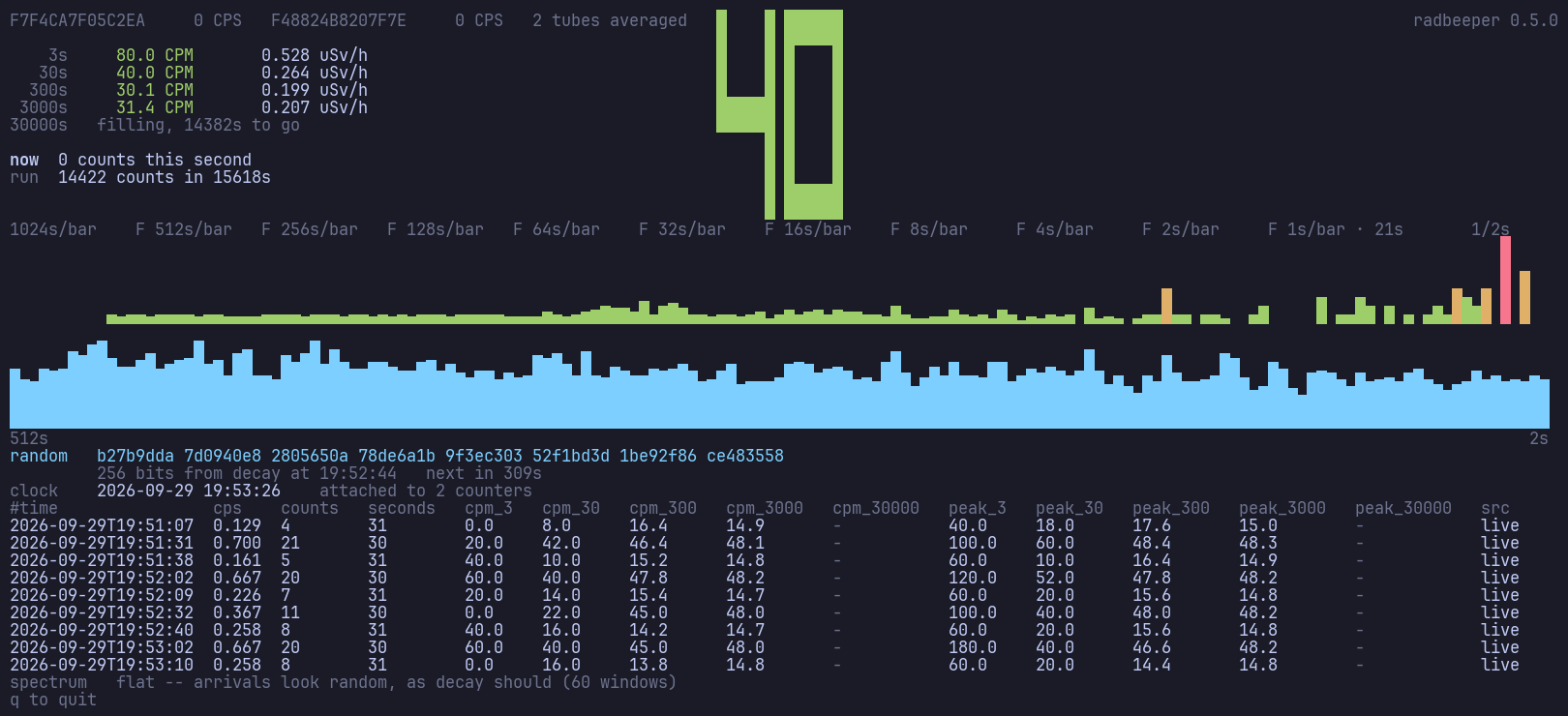
Everything on one screen of a terminal: the reading in large digits, the five averages, the strip of counts, the check for rhythms, and the rows as they are written to the log.
The window
radbeeper-gui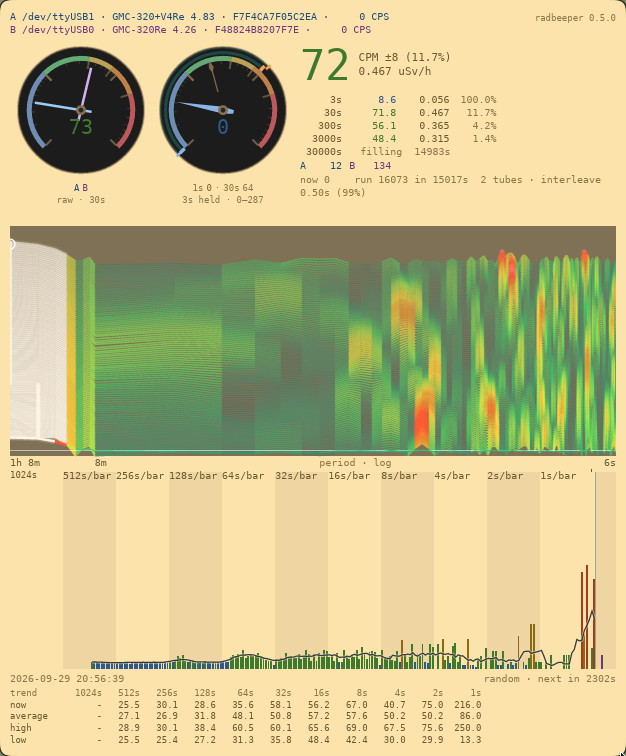
| From the top | What it tells you |
|---|---|
| The counters | Which counters are connected, and what each counted in the last second. An empty space means that counter has stopped answering. |
| The dials | The reading as a needle. The coloured bands are nominal, advisory, warning and deadly. |
| The big number | Counts per minute over the last half minute, how precise that is, and the dose rate. |
| The averages | The same reading over 3 seconds, 30 seconds, 5 minutes, 50 minutes and a working day. |
| The striped chart | The check for rhythms. Mostly green is the good answer. See Reading the drum spectrogram. |
| The counts | A bar for each second on the right, with older counts packed closer together to the left. The line over the bars is the trend. Point at a bar to see when it was and what it read. |
| The key | The newest random number, and which counter it came from. |
| The table | The trend line in numbers: for each panel of the counts, where the trend is now, its average over that panel, and its high and low, in CPM. |
The window follows your desktop's light or dark theme, and fits whatever space it is given: in a small window the table goes first and the charts last.
The drum spectrogram
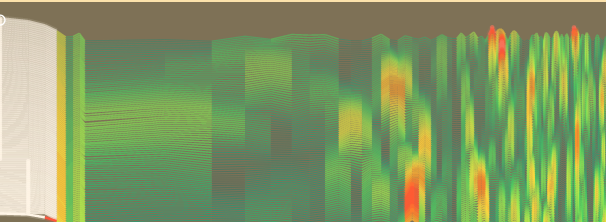
Decay has no rhythm. Anything that reaches the counter on a schedule is something else: a fan, electrical noise, a fault. In the reading it looks like more radiation. On this chart it looks like a stripe.
It is drawn like a seismograph's paper. A new line appears at the bottom every eight seconds, just above the counts, and the older ones move up. Left to right is how often something repeats, from once an hour to once every few seconds. The pen gets hotter and wider as the signal gets stronger: green is ordinary background, yellow is as much as chance manages, red and white are more.
- Mostly green — all is well.
- A warm patch that comes and goes — chance.
- A hot stripe from top to bottom that stays put — something real is arriving at that interval.
Reading the drum spectrogram is the guide, with pictures. The drum spectrogram is the lab report on the technique.
Two counters
Plug in a second counter and both are read. There is nothing to set and nothing to restart.
Two counters in one room do not double the reading. They make it more precise, and the window shows by how much. Each keeps its own log. If one stops answering it is left out until it comes back, and the reading stays right.
Keep a record
radbeeper service # what runs at boot, here in the foreground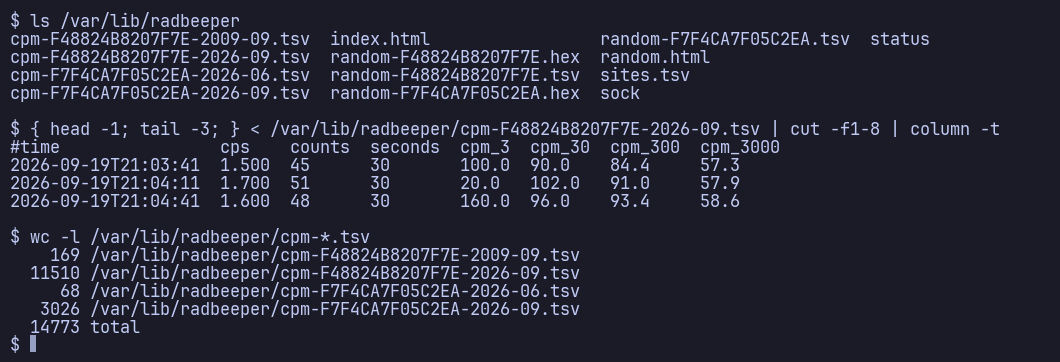
A row every thirty seconds, in a plain text file for each counter and each month. It opens in any spreadsheet. The monitor writes the same rows while it is open, so it does not matter which of them is running.
Publish it
radbeeper export --logs logs -o monitor.htmlOne page with a summary, a chart by the hour, a table by the day and the newest rows. It is a single file with no scripts.
To put it on the web, fork this repository, copy your log files into logs/, and push. The site rebuilds itself.
Random numbers
radbeeper randomb17c9c60 d5deeb7b 4b102dfc bec14efc b523818b 18d3ada0 582bd912 e61ff856The moment an atom decays is not decided by anything, so a counter is a source of true randomness. RadBeeper makes a 256-bit key when it has counted enough to justify one, and keeps the counts behind it so anybody can check it.
Treat this as a good physical source, not a certified one.
Commands
probe | every counter on the machine, held by the service or free, and what its last start did |
watch | the monitor, logging while it is open; --no-log to only watch |
clock | how far the counter's clock is out; --set corrects it, as every start of service and watch does |
cpm | one 30-second average, for a script |
service | log every counter found |
hotplug | open the monitor when a counter is plugged in |
backfill | fill the log's gaps from the counter's memory |
random | a 256-bit key from decay timing |
site | where a counter is, and where it has been |
export | build the web page from the logs |
frames list / show | the raw seconds behind each key |
log info / log pull | how much the counter's memory holds, and download it |
radbeeper --help lists every command and option.
Learn more
| Reading the window | every number on the window, what the five averages and their precision mean, and the striped chart read as a landscape |
| Reading the drum spectrogram | the striped chart, and how to tell chance from something real |
| Troubleshooting | what to do when the counter is not found |
| Running it | starting at boot, and publishing |
| Technical description | how it works: the hardware, the arithmetic, every part of the screen, the log and the keys |
| The drum spectrogram | the lab report on the technique: how a line is computed, the thermal pen, and the measurements |
| All the lab reports | the reasoning behind each part of the program |
| Security | what is in scope, and how the supply chain is kept small |